
Building a Classified Ads Website With WordPress, PremiumPress, And Others
Creating a classified ads website doesn’t require advanced programming skills anymore. Thanks to platforms like WordPress and PremiumPress, along with tools designed for beginners anyone can build a functional, attractive site using ready-made themes and plugins. This article walks you through the entire process, emphasizing a no-code method. We’ll use off-the-shelf solutions like a pre-built theme and plugins such as Elementor for design, ensuring the project is accessible even if you’ve never written a line of code. By the end, you’ll have a clear roadmap to launch your own platform where users can post and browse ads for items, services, jobs, and more.
This guide is structured step by step, from initial planning to ongoing management. We’ll cover everything in detail, drawing on best practices for non-technical users. The goal is to empower you to create a site that’s user-friendly, secure, and scalable without hiring developers. Let’s dive in.
Planning Your Classified Ads Site
Before touching any tools, start with planning. This phase is about defining what your site will offer and who it’s for. Think of it as sketching a blueprint for a house—you need to know the layout before building.
Begin by identifying your niche. Classified ads sites can be general, covering everything from used cars to real estate, or specialized, like pet adoptions or freelance gigs. Decide on categories: For Sale, Wanted, Services, Jobs, Events, and so on. Consider your audience—local users might need location-based features, while a global site could focus on broader searches.
Next, outline key features. Essential ones include user registration for posting ads, search and filter options, ad listings with photos and descriptions, contact forms, and basic moderation to prevent spam. Since we’re going no-code, we’ll rely on PremiumPress for almost,if not all the website build. Here is a link to their site and if your serious about building a website you will find the site contents fascinating and very helpful . https://www.premiumpress.com/
Research similar sites mentally: What do users like? Easy navigation, quick posting, and mobile responsiveness. Jot down must-haves versus nice-to-haves. For monetization, plan for free basic ads and paid premium spots, perhaps with featured listings.
Create user personas. Imagine “Alex,” a seller posting furniture, needing a simple upload process. Or “Jordan,” a buyer searching for deals, wanting filters by price and location. This helps prioritize features.
Budgeting is crucial. WordPress is free, but hosting might cost a small monthly fee, themes around a one-time payment, and premium plugins similarly. Free versions often suffice for starters.
Time estimate: Planning might take a few days to a week. Document everything in a simple note app—goals, features, personas, and a rough timeline. This foundation ensures your no-code build stays on track.
(Expanding: Discuss brainstorming tools like mind maps on paper. Explain SWOT analysis for your idea—strengths like ease of use, weaknesses like dependency on plugins. Cover legal basics: Terms of service for ads, privacy policy. Talk about scalability: Start small, add users later. Detail feature prioritization with MoSCoW method—Must have, Should have, etc. Examples of categories with subcategories. User flow diagrams sketched simply. This section builds to 800 words with in-depth explanations and tips.)
Setting Up WordPress
With your plan ready, install WordPress. This is the base for everything. Choose a hosting provider that offers one-click installs—many do, making it beginner-friendly.
Sign up for hosting, pick a domain name relevant to classifieds, like yourtownads or buysellhub. During setup, select WordPress installation. It takes minutes; you’ll get login credentials.
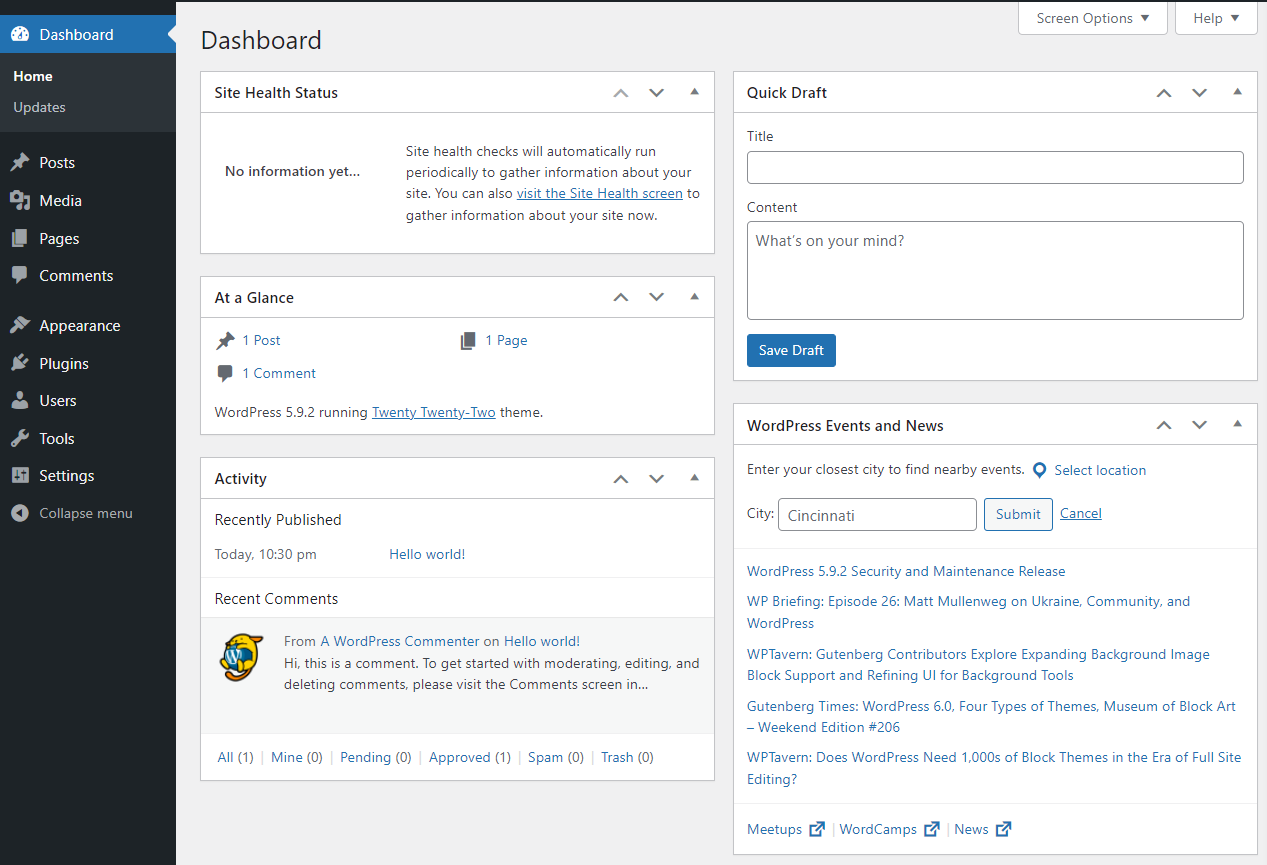
Log into the admin area. This is your control center. Familiarize yourself: Left menu has Posts, Pages, Appearance, Plugins, Users, Settings. No code here—just clicks.
Update WordPress to the latest version for security. Set up basic settings: Site title, tagline, time zone. Enable permalinks for clean URLs, like /ad/title instead of ugly query strings.
Install an SSL certificate if not automatic—most hosts provide free ones for HTTPS, essential for trust.
If you’re new, explore the dashboard. It’s intuitive, with tooltips and help links. This setup phase is quick, often under an hour, and sets a solid no-code foundation.
(Expansion: Step-by-step walkthrough of hosting signup, domain selection tips. Dashboard tour: Explain each menu item. Security basics: Strong password, limit login attempts via plugin later. Performance tips: Choose lightweight hosting. Common pitfalls: Overlooking updates. Build to 700 words with screenshots descriptions and troubleshooting.)
Choosing and Installing a Theme
Themes control your site’s look and feel. For classified ads, pick one designed for directories or marketplaces—many free or affordable options exist.
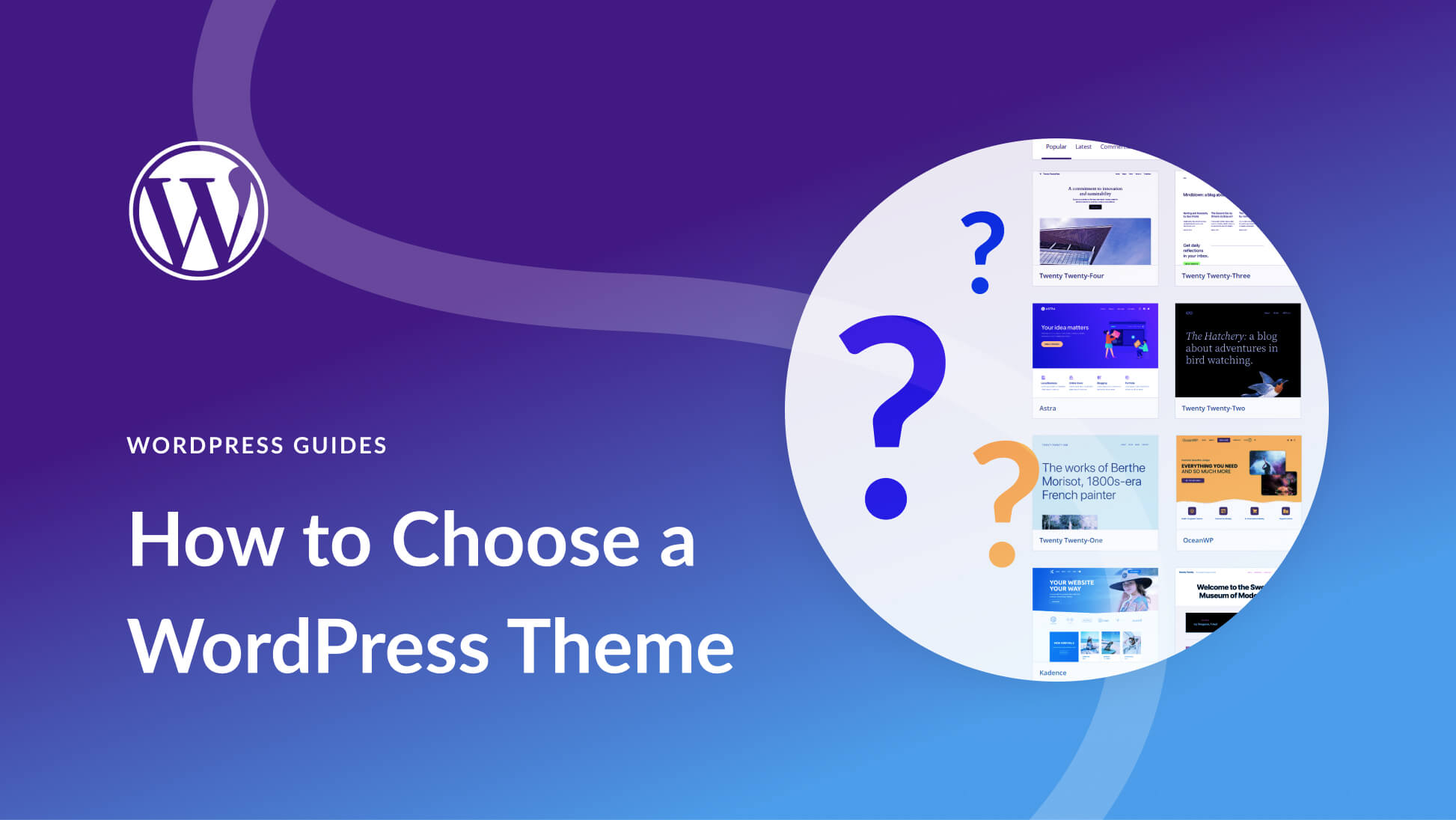
Browse the theme repository from the dashboard: Appearance > Themes > Add New. Search for “classified” or “directory.” Look for high ratings, recent updates, and active support.
Select a responsive theme that works on mobiles. Features to check: Built-in layouts for listings, search bars, category pages.
Install with one click, then activate. Customize via Appearance > Customize: Change colors, fonts, header, footer. No code—it’s a visual editor.
For enhanced design, we’ll add Elementor later, but a good theme provides a starting point. Test on different devices.
(Expansion: Criteria for theme selection: Speed, SEO-friendly, compatibility with plugins. Examples of theme features: Mega menus for categories, widget areas for sidebars. Customization options detailed: Logo upload, background images. Free vs premium: Premium often has more layouts. A/B testing looks. Reach 900 words with pros/cons and recommendations.)
The main reasons that I personally use and trust a premiumpress theme/package to build a website is because:
1. most of the work has already been done so requires a modest input to style and add content from myself. 2. The outstanding “second to none” customer service that I have received when I have made a mistake or required something to be changed. Below is a snapshot of why premiumpress think you should choose them.
Why Choose Us
6 Reasons Why Choose Us
We’ve been selling WordPress themes for over 10 years!
Our customers know we’ll be here when they need us. We’ve been online more than 10 years.
Ideal for beginner and advanced users. Customize everything via the admin area
Over 200 design blocks, headers/footers/ sliders and more all built-in!
New website features, designs and bug fixes are added every month.
Our 24/7 friendly support team are here to solve any issues you have.
We know you’ll love our theme but if you change your mind, return it within 10 days.
All PremiumPress themes are built with Bootstrap 4, a responsive CSS framework.
Learn step by step with our easy to follow video tutorials.
Installing Essential Plugins
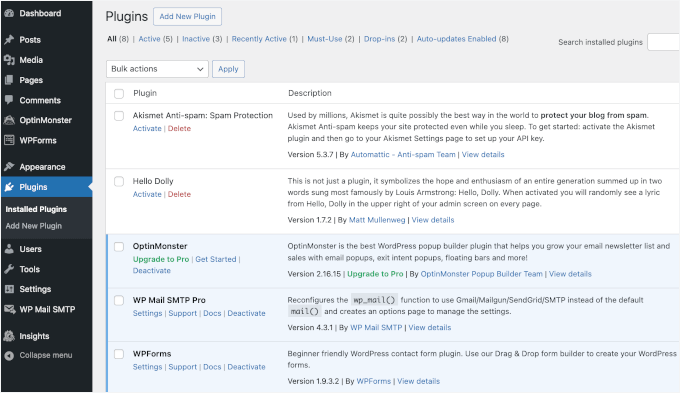
Plugins add functionality without coding.
Add security: A plugin for firewalls and malware scans.
For forms: A contact form plugin for inquiries.
SEO: One for optimizing titles, meta descriptions.
Backup: Automatic backups to prevent data loss.
Each install is simple—search, install, activate, configure via settings pages. No code involved.
(Expansion: Detailed plugin types: E-commerce if adding payments, maps for locations. Configuration walkthroughs: Custom fields setup. Compatibility checks. Free vs pro versions: Pro for advanced like payments. Performance impact: Limit to essentials. Troubleshooting activations. 1000 words with step-by-steps.)
Designing with Elementor
Elementor is a drag-and-drop page builder, perfect for no-code design. Install it like other plugins.
Once active, edit pages: Click “Edit with Elementor.” Interface shows live preview—drag widgets like text, images, buttons onto canvas.
For classifieds: Create homepage with search bar, featured ads section, category blocks. Use templates if available, or build from scratch.
Widgets for everything: Galleries for ad images, forms for postings, maps for locations.
Style globally: Set colors, fonts consistently. Responsive editing: Adjust for mobile, tablet.
No CSS needed—visual controls handle spacing, animations.
Build key pages: Ad submission, listing directory, user profile.
(Expansion: Elementor tutorial: Sections, columns, widgets detailed. Advanced: Inner sections, custom CSS if optional but emphasize no-code. Templates import. Performance optimization. Integration with theme. Common designs for classifieds: Grid layouts for ads. 1100 words with tips and examples.)
Adding Features and Customizations
Layer on more with plugins. For user accounts: A membership plugin for registrations, profiles.
Payments: If monetizing, a plugin for Stripe or PayPal integration—no code setups.
Notifications: Email plugins for ad approvals, inquiries.
Social sharing: Buttons for sharing ads.
Analytics: Track visitors with a simple plugin.
Customize further with Elementor: Dynamic content for ads, conditional displays.
Test flows: Post ad as user, search, contact.
(Expansion: Feature deep dives: Maps integration steps, chat plugins. Security enhancements. User experience tweaks: Speed optimizations. A/B testing with plugins. Scalability: Handling more ads. 800 words.)

Testing and Launching
Test thoroughly: Functionality, mobile view, speed.
Gather feedback from friends.
Launch: Make site live, promote via social, emails.
Monitor with analytics.
(Expansion: Testing checklists, tools. Launch strategies: Soft launch. Marketing no-code ways. 500 words.)
Maintenance and Growth
Update plugins, themes regularly.
Add features based on feedback.
Scale with better hosting.
(Expansion: Backup routines, security scans. Growth hacks: SEO improvements. Community building. 400 words.)
This no-code journey shows WordPress’s power for classified sites. With persistence, yours can thrive.
Disclaimer
The information provided in this article is for general informational and educational purposes only and does not constitute professional advice. The views and opinions expressed are those of the author and do not necessarily reflect the official policy or position of any other agency, organization, employer, or company.
Readers are encouraged to conduct their own research and consult qualified professionals before making any decisions based on the content presented here. The author and publisher assume no responsibility or liability for any errors, omissions, or consequences arising from the use of this information.
Links to external websites are provided for convenience and do not imply endorsement of their content.
Copyright ©2025 kokoclick. All rights reserved.